



Help center
Short answers about accounts, the editor, exports, AI assistance and billing.
Guides
What is a resume, and what does a good one contain?
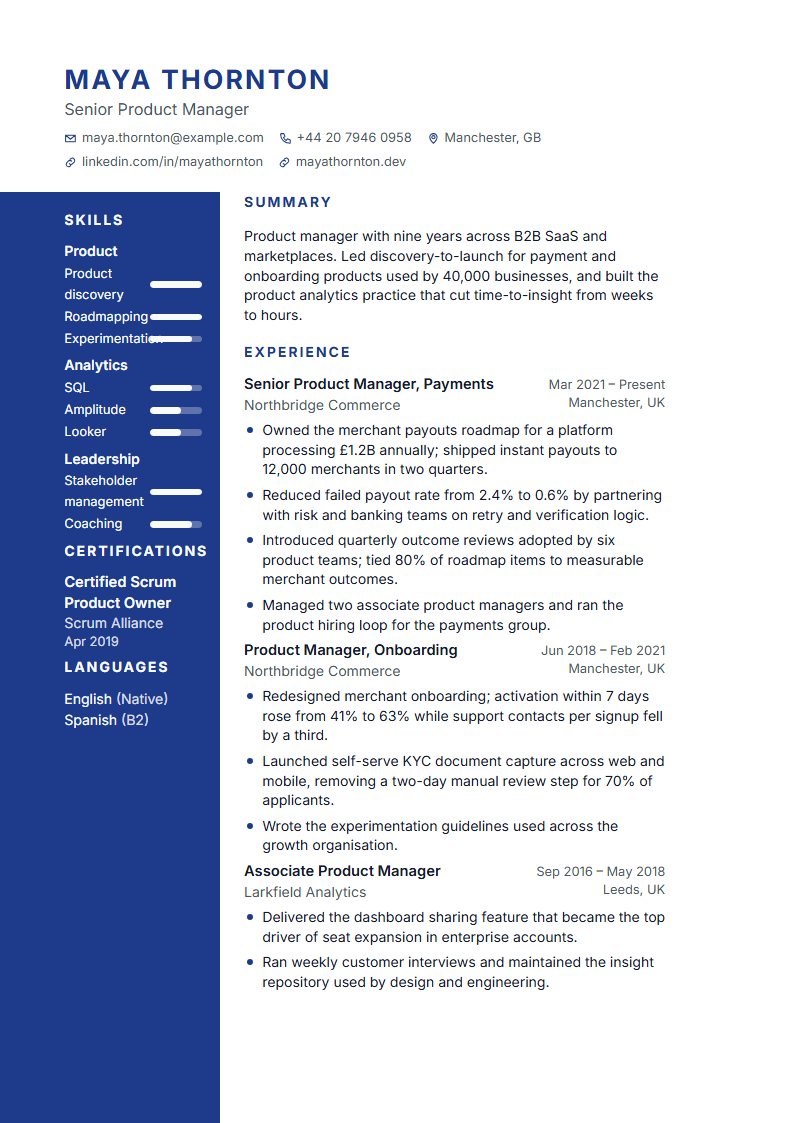
A resume is a one- or two-page summary of your work experience, education and skills written for a specific job. A good one leads with a short summary, lists roles in reverse chronological order with dated, specific achievements, keeps skills readable as text, and leaves out anything the reader cannot verify or does not need (photos and personal data depend on the country — in the US and UK they are usually left out).
CV or resume — what is the difference?
In the US a resume is a short, targeted document and a CV is a long academic record; in the UK, Europe and Türkiye "CV" simply means the short document. ResumeRun produces the short, targeted kind in both languages; choose A4 or US Letter and the date format per target country in the design panel, and keep academic CVs to the ATS templates with the publications and awards sections turned on.
How far back should my experience go?
Detail the last 10–15 years and the roles that matter for the target job; compress older positions into one line each or a short "earlier experience" entry, and drop anything irrelevant. Readers scan quickly, so every bullet in the recent roles should carry an outcome. In ResumeRun you can hide an entry without deleting it — useful when you tailor the same resume to different postings.
What does "ATS-friendly" actually mean?
Applicant tracking systems extract text from your file and match it against the posting. A friendly resume has real text (not images), standard section headings, a simple reading order, dates in a consistent format and the terms the posting uses. ResumeRun's ATS check tests exactly those points on your document and shows each finding with its source; the ten ATS templates are single-column and export to DOCX as well.
Which file format should I send?
PDF unless the posting asks for Word. PDF keeps the layout identical everywhere; DOCX is editable and sometimes requested by agencies or portals. ResumeRun exports PDF (A4 or US Letter) for every template, DOCX for the ten ATS templates, and TXT/JSON for plain-text forms and backups. Name the file clearly (e.g. `Firstname-Lastname-Resume.pdf`).
Do I need a different resume for every application?
A different version, not a different document. Keep one master resume and adjust the summary, the order of bullets and the skills list for each posting. In ResumeRun, attach the posting in the Improve tab: the match view shows which required terms are missing, suggestions rewrite your own facts (never invent new ones), and "copy and tailor" from an application creates a dated copy so the version you sent stays unchanged.
How long should a cover letter be, and what goes in it?
One page, three to four short paragraphs: why this role and company, the one or two achievements that prove you can do it, how your skills meet their needs, and a polite call to action. Mirror the posting's language without copying it. ResumeRun drafts a letter from your resume and the posting, marks every paragraph as unconfirmed until you edit it, and exports it in the matching template design.
Getting started
Do I need an account to start?
No. Open the editor and start writing; your draft is saved to the cloud in an anonymous session. To keep it safe across devices and browsers, verify your email from the account page — you receive a 6-digit code, no password is needed. Until then, clearing browser data can lose access to the draft.
Can I import my existing resume?
Yes. Go to Import, upload a PDF or DOCX (max 10 MB) or paste the text. We extract contact details, experience, education and skills, show you every field with a confidence marker, and you confirm or fix them before anything is saved. Scanned PDFs without a text layer are not supported in this version; use the paste option instead. Uploaded files are deleted 24 hours after processing.
Editor and templates
How does saving work? Can I lose changes?
Changes are saved automatically a moment after you stop typing; the status indicator shows Saving… and Saved. If you are offline, edits stay in the browser and sync when the connection returns. If the same document was changed in another tab or device, you see a conflict screen and choose which version to keep — nothing is overwritten silently. Every export creates an immutable version you can restore later.
Can I switch templates without losing content?
Yes. Content and design are separate: switching among the 80 templates, changing colours, fonts or spacing never touches your text. The preview paginates exactly like the PDF, so what you see is what you download. Ten templates are ATS-first (single column, standard headings) and are also available as editable Word files.
Exports and ATS
Which formats can I download?
PDF (A4 or US Letter), editable DOCX for the ten ATS templates, plain TXT and a JSON backup of your data. Free accounts can download TXT and a watermarked preview PDF; full PDF and DOCX require Premium. Downloads are produced by a secure renderer and usually take a few seconds; if it takes longer we email you when the file is ready.
What does the ATS check actually measure?
Three areas: parseability (will software read the layout, fonts and section headings correctly?), content quality (dates, quantified results, filler words, length) and — only when you attach a job posting — match (required skills and terms present or missing, with the source highlighted). There is no mystery score: every finding shows what triggered it and where. Without a job posting no match percentage is shown.
AI assistance
How does the AI assistance work, and will it make things up?
Suggestions are generated only from the facts already in your document and, for tailoring, from the job posting you attach. Numbers that do not appear in your facts are blocked, and anything the model cannot know is shown as a placeholder like [result] for you to fill in. Every suggestion is marked as unconfirmed until you accept it, and you can revert any accepted change. Free accounts get a small number of generations; Premium includes a daily allowance.
Pricing and billing
How do the introductory price and the subscription work?
The introductory payment unlocks Premium for 7 days. If you do not cancel before the 7 days end, the monthly subscription starts automatically at the monthly price shown at checkout and renews monthly. We email a reminder about three days before the first monthly charge and before every renewal. You can cancel in two clicks from Account → Plan; access continues to the end of the paid period.
How do I cancel or get a refund?
Cancel from Account → Plan → Cancel subscription; no reason is required and the cancellation is confirmed by email. Refund rules are in the Refund & cancellation policy: the introductory fee is refundable within 14 days if you have not downloaded full exports, a forgotten renewal is refunded if you write within 7 days before using Premium exports, and duplicate charges or service failures are always refunded.
Account, sharing and privacy
How do I export or delete my data?
On the account page, Your data builds a ZIP with everything we store (JSON plus your uploaded files), available for 7 days. Delete account sends a confirmation email; once confirmed, documents, files, share links and cached exports are removed and your address is blocked from future mail. Invoice records required by law are kept separately without your document content.
Can support see my documents?
Not by default. If you ask for help with a document, you can grant support read-only access for 24 hours from Account → Support access. Every access is logged with a purpose, and you can revoke the grant early. Billing questions can be handled with a separate, billing-only grant.
Still stuck?
Write to us. Every message creates a ticket with a reference number and we reply by email.
Contact support